Automation Case Study

Personalised Greeting &
Follow-up Sender

An AI-powered workflow that emails a warm, personalised greeting to every client on your list — with one click, or automatically on a schedule. Fifty messages in minutes, and every client feels remembered.
n8n Automation
Google Sheets
Groq AI
Gmail
Client Retention
CategoryClient Follow-up
Platformn8n + Groq + Gmail
Cost₹0 · Free Tools Only
Built byLakshmi Iyer
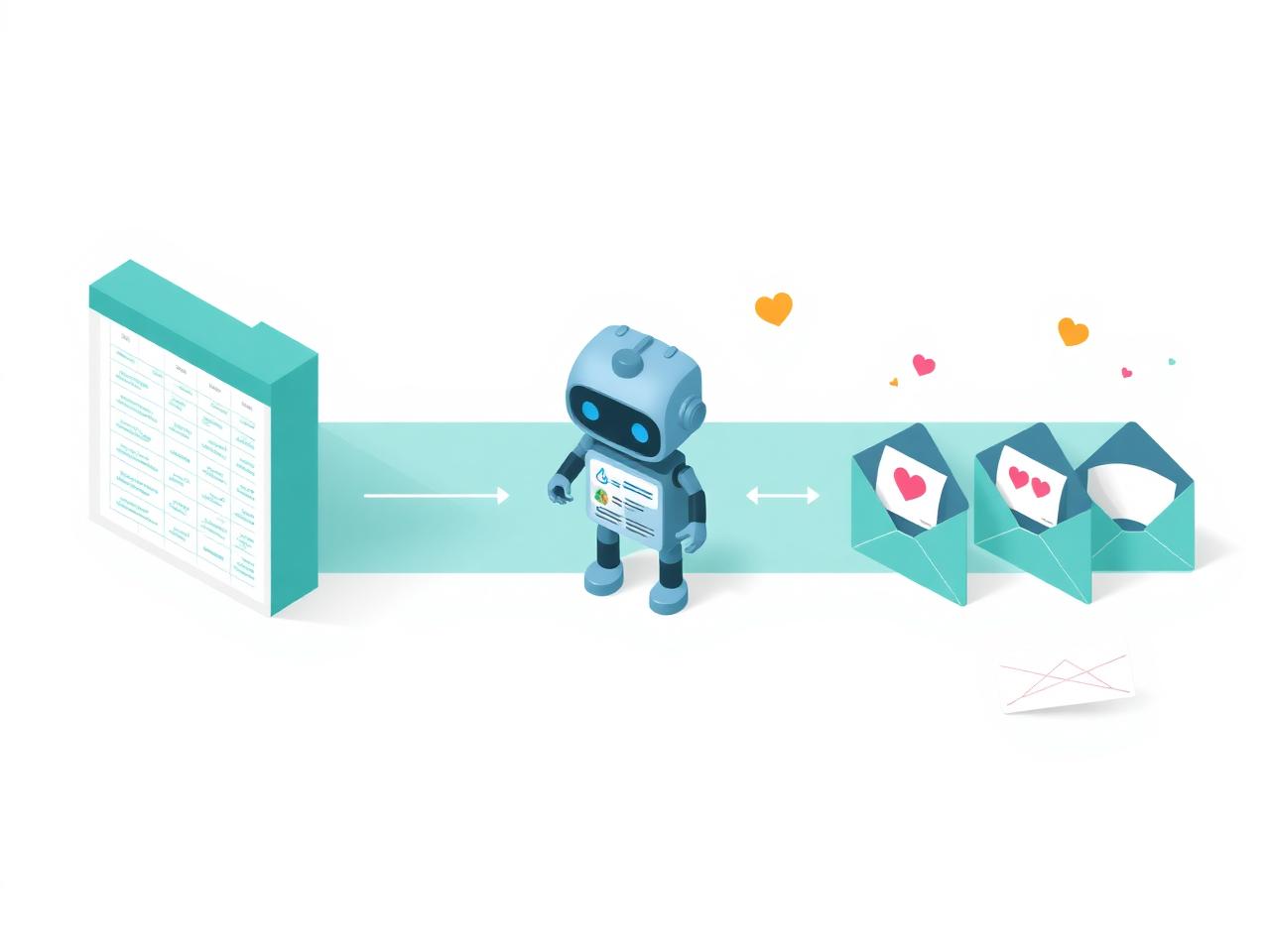
Illustration of an AI writing personalised greetings from a Google Sheets client list and emailing them
The Problem

Staying in touch with clients was slow, tedious — and quietly getting skipped

Freelancers and small business owners know that warm client relationships are built on regular touch — festival greetings, thank-you notes, an occasional check-in. But doing it by hand for 50+ clients just doesn't happen. Warm leads quietly go cold.

✍️

An Hour Per 50 Clients

Writing the same greeting 50 times, swapping in the right name and company, and emailing each one takes the better part of an hour. It's the kind of task that always slips to "later" and never actually happens.

🥶

Warm Leads Turning Cold

Clients who haven't heard from you in months quietly stop thinking of you. When they finally need your service, they call whoever reached out to them last — not you.

🎭

Generic Copy-Paste Feels Generic

Bulk-BCC messages and identical templates are obvious — and often hurt more than they help. Clients want to feel remembered as a person, not one line in a mailing list.

📅

Missed Festival & Milestone Windows

Diwali, New Year, project anniversaries — the moments that matter come and go before there's time to sit down and write. The natural excuse to reach out just… passes.


Automation Flow

From client list to personalised inbox — in one click

The workflow reads your client list, asks an AI to write a personalised greeting for each person, and emails it — looping through one client at a time until the whole list is done.

🖱️
Manual / Schedule
Click Execute, or fires automatically at 9 AM
Trigger
📋
Read Clients
Google Sheets: Name, Email, Company
Client List
🔁
Split in Batches
Loops through the list, one client at a time
Loop
🤖
Groq AI
Writes a warm, personalised greeting for this client
AI Writes
✉️
Gmail Send
Emails the greeting, then loops back for the next client
Client Remembered
Inside the Automation

The n8n workflow, node by node

Six nodes, each with one clear job. The same building blocks from the cold-email class — reused in a simpler form. No code, no second sheet, no parsing.

▶️
Manual Trigger
Click Execute to run — used for testing
📋
Read Clients
Google Sheets: reads Name, Email, Company
🔁
Process One by One
Split in Batches — loops through each client
🤖
Write Greeting
HTTP → Groq: AI writes a personalised greeting
Gmail: emails the greeting, loops for next
Run on Schedule
Optional: fires automatically at a set time
Trigger (Manual or Schedule)

Start the workflow with one click while testing, or add a Schedule Trigger and mark it Active — n8n then fires it automatically (e.g. every day at 9 AM, or on a specific festival date).

Google Sheets + Split in Batches

Reads your client list — just three columns: Name, Email, Company. Split in Batches loops through it one row at a time so each greeting gets its own AI call, its own email, and its own personalisation.

Groq AI + Gmail

The client's name and company go to Groq's free AI, which writes a warm, personalised greeting — never a copy-paste template. Gmail then sends it and the workflow loops back for the next client, until the whole list is done.

The Solution

A hands-free way to keep every client feeling remembered

Built in four simple phases using only free tools. Once set up, the whole thing can run on one click — or on a schedule you never have to think about again.

01

One Simple Client Sheet

Clients live in a plain Google Sheet with three columns: Name, Email, Company. That's the entire "database." Anyone on the team can update it — no CRM login, no training, no monthly fees.

02

Free AI Greeting per Client

Each client's details are sent to Groq's free AI (14,400 requests/day, no credit card). It writes a warm, personalised greeting that uses their name and company — never the same message twice, never a generic template.

03

Sent via Your Own Gmail

Emails go out from the business owner's own Gmail account — arriving in the client's regular inbox, not a promotions tab. Each message looks personal because it is personal, written just for that recipient.

04

One Click, or Fully Automatic

Run it manually before Diwali, New Year, or a product launch — one click, done. Or add the Schedule Trigger and it fires on its own (e.g. every Monday at 9 AM), keeping client relationships warm with zero ongoing effort.

Business Impact

Fifty personalised greetings, in the time it takes to drink a coffee

The value isn't just the time saved — it's the touches that actually happen. For a freelancer or small business with 50–200 clients, here is what changes.

50msgs
Personalised greetings sent in a single run — each one written fresh by the AI for that specific client.
0
Total cost. Groq gives 14,400 free AI calls a day. Google Sheets and Gmail are free. No credit card, no paid plan.
~55min
Time saved every time you'd have written greetings by hand — the whole "I'll do it later" tax, gone.
1click
From "I should reach out" to "done" — press Execute once, or let the Schedule Trigger fire it for you.
100%
Coverage — every client on the sheet gets a message. No one gets accidentally skipped or forgotten.
14.4K/day
Free AI requests available on Groq's free tier — enough headroom to greet a client list many times over.
Effort vs. Retention

A ₹0 setup that turns "I meant to send a Diwali message" into a done, sent, personalised greeting — every time. One re-engaged client covers the setup cost many times over. And every time the workflow runs, more clients feel remembered.

₹0
Ongoing cost, forever
Technology Stack

Three free tools. That's the whole stack.

No paid plans, no credit card, no developer needed to keep it running. The business owns the sheet, the Gmail account, and the workflow — end to end.

⚙️ n8n (Self-hosted or Cloud)
📊 Google Sheets
🤖 Groq AI (14.4K free req/day)
✉️ Gmail Node
🔁 Split in Batches Node
Schedule Trigger (optional)
Before you go live

Always test with your own email address first. Only point the workflow at your real client list once one full run works end-to-end — sheet read cleanly, AI greeting written, email actually received in the inbox. Then flip the workflow to Active and let it run.

Proof of Work

See it in action

A short walkthrough showing the workflow reading the client sheet, generating each personalised greeting via Groq AI, and sending it through Gmail — one client at a time.

▶️

Upload Your Demo Video

Click anywhere here to upload your screen recording. Supported formats: MP4, MOV, WebM.

✓ Video uploaded successfully